
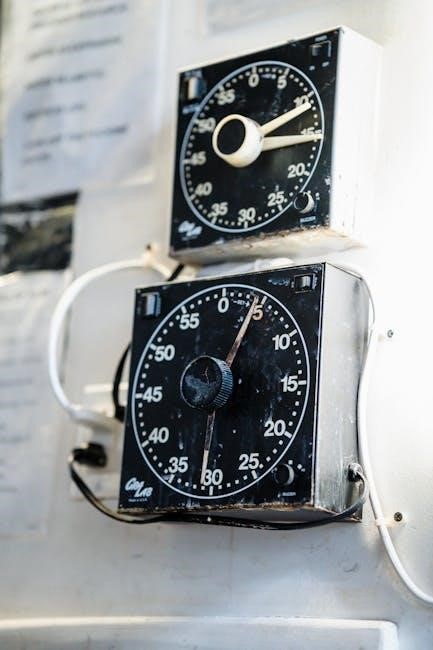
Acroprint Time Clock Manual: A Comprehensive Guide
This manual provides detailed instructions for various Acroprint models‚ including digital and mechanical clocks‚ covering setup‚ operation‚ and troubleshooting for efficient timekeeping.
Explore features like facial recognition‚ RFID proximity‚ and standard punching procedures‚ alongside time card management and software integration details.
Discover resources for maintenance‚ care‚ and finding support‚ ensuring your Acroprint system operates smoothly and accurately for years to come.
Understanding Acroprint Time Clocks
Acroprint time clocks represent a long-standing tradition of reliable employee time tracking‚ evolving from robust mechanical recorders to sophisticated digital systems. Models like the 125AR3 and 125ER3 offer dependable manual operation‚ while the TQ600P introduces RFID proximity technology for streamlined punching.
These clocks are designed for accuracy and durability‚ catering to businesses of all sizes. Modern Acroprint systems‚ such as the M150MC4‚ prioritize ease of use‚ eliminating software needs and monthly fees. Understanding the core functionality and available features is key to maximizing your timekeeping investment.
Acroprint consistently delivers solutions for efficient workforce management.

Popular Acroprint Models
Acroprint offers a diverse range of time clocks to suit varying business needs. The Model 125AR3 is a popular choice for its reliable‚ standard punching capabilities‚ while the heavy-duty 125ER3 excels in demanding environments.

For modern convenience‚ the TQ600P RFID Proximity Time Clock provides contactless punching. Additionally‚ the M150MC4 digital clock offers a streamlined‚ software-free experience. These models‚ alongside the ETC Digital Automatic Time Clock‚ demonstrate Acroprint’s commitment to innovation and dependable timekeeping solutions.
Each model provides unique features.
Model 125AR3: Features and Operation
The Acroprint Model 125AR3 is a widely used employee time clock known for its simplicity and durability. It features a mechanical time recording system‚ requiring standard time cards for employee punches. Operation involves employees physically punching in and out‚ with the clock automatically imprinting the time.
Two keys are included for setting the time and date‚ ensuring accurate record-keeping. This model is ideal for businesses seeking a reliable‚ no-frills time tracking solution without complex software or integrations.
Model 125ER3: Heavy Duty Manual Recorder
The Acroprint 125ER3 is a robust‚ heavy-duty manual time recorder designed for demanding environments. It accurately records the day of the week‚ hour (in 24-hour format from 0-23)‚ and hundredths of an hour‚ providing precise timekeeping. This model utilizes a manual setting process‚ requiring periodic adjustments to maintain accuracy.
Its durable construction ensures long-lasting performance‚ even with frequent use. The 125ER3 is a dependable choice for businesses needing a reliable‚ mechanical time recording solution.
TQ600P RFID Proximity Time Clock
The Acroprint TQ600P utilizes RFID proximity technology‚ allowing employees to punch in and out simply by presenting their RFID card or fob to the terminal. This model‚ though discontinued‚ continues to receive support‚ and can expand existing timeQplus v3 and v4 systems.
It offers a streamlined and efficient timekeeping process‚ reducing errors and improving accuracy. The TQ600P provides a convenient‚ touch-free solution for modern workforce management.
Setting Up Your Acroprint Time Clock
Proper setup is crucial for accurate timekeeping. Initial configuration involves connecting the clock to a power source and ensuring all components are securely in place. Carefully review the specific instructions for your model‚ as procedures vary between mechanical and digital systems.
Accurate date and time are essential; follow the clock’s manual to adjust these settings correctly. Verify the settings after adjustment to guarantee precise record-keeping from the start.

Initial Clock Configuration
Begin by physically connecting the Acroprint time clock to a reliable power outlet. Ensure the clock is placed on a stable‚ level surface for optimal operation. For digital models‚ familiarize yourself with the keypad and display. Mechanical clocks require verifying the time card guide is correctly installed.
Inspect all components for damage before proceeding. Refer to your model’s specific documentation for any unique setup requirements‚ ensuring a smooth start.
Date and Time Adjustment
Access the clock’s settings menu‚ typically through a combination of key presses on digital models. Navigate to the date and time fields using the arrow keys. Enter the current date (MM/DD/YYYY) and time (HH:MM:SS) accurately‚ confirming each entry.
For mechanical clocks‚ adjust the time manually by turning the adjustment knob‚ ensuring precision. Verify the correct display after adjustments‚ and save the settings to finalize the configuration.
Using the Time Clock: Employee Punching
Employees should insert their time cards into the designated slot‚ ensuring proper orientation. For manual clocks‚ the time and date are automatically imprinted. RFID and facial recognition models require proximity or a facial scan for verification.
Confirm the accurate recording of each punch‚ and report any discrepancies immediately. Adhere to established punching procedures to maintain accurate timekeeping records for payroll processing.
Standard Punching Procedures
Employees must insert their assigned time card into the clock with the designated side facing upwards. Ensure the card slides fully into the slot for a clear imprint. For digital models‚ follow on-screen prompts for clock-in and clock-out procedures.
Verify the imprinted time on the card immediately after punching. Report any illegible or incorrect punches to a supervisor promptly. Consistent adherence to these procedures ensures accurate payroll data.
Dealing with Missed Punches
If an employee forgets to punch in or out‚ they must immediately notify their supervisor. A manual time adjustment may be necessary‚ requiring supervisor authorization and documentation. Utilize the clock’s audit trail‚ if available‚ to investigate missed punches.
Complete a missed punch form‚ detailing the reason for the omission and the corrected time. Avoid retroactive adjustments without proper approval to maintain payroll accuracy and integrity.
Time Card Management
Acroprint time clocks utilize various time card formats‚ including weekly and bi-weekly options‚ designed for accurate hour recording. Proper time card handling is crucial for payroll processing; ensure cards are collected and submitted promptly. Understanding the card’s layout – including employee details‚ date‚ and time entries – is essential.
Carefully review each card for completeness and accuracy‚ verifying total hours worked and any applicable overtime. Maintain a secure storage system for time cards‚ adhering to legal retention requirements.
Types of Acroprint Time Cards
Acroprint offers a range of time card options to suit diverse payroll schedules. Common types include weekly time cards‚ ideal for frequent pay periods‚ and bi-weekly cards‚ providing a consolidated view of labor hours. Specialized cards exist for departments or job costing‚ enabling detailed tracking.
Consider the card’s printing format – pre-printed or blank – based on your needs. Ensure compatibility with your specific Acroprint model for optimal performance and accurate time recording.
Reading and Interpreting Time Cards
Accurately reading Acroprint time cards is crucial for precise payroll processing. Each card displays employee names‚ dates‚ and punch times – in and out. Carefully examine each day’s entries‚ noting total hours worked. Look for any discrepancies or missing punches that require investigation.
Understand how the card indicates overtime or specific job codes. Proper interpretation ensures fair compensation and accurate labor cost allocation.
Troubleshooting Common Issues
Encountering issues with your Acroprint time clock is common. If the clock doesn’t display the correct time‚ verify the date and time settings‚ and check the battery. Time card jams often occur due to improper card insertion; gently remove the card.
For error messages‚ consult the manual or Acroprint’s support resources. Regular maintenance can prevent many problems‚ ensuring reliable operation.

Clock Not Displaying Correct Time
If your Acroprint clock shows an incorrect time‚ first check the power supply and ensure it’s securely connected. Verify the date and time settings within the clock’s configuration menu‚ accessing it using the designated keys. A low battery can also cause inaccuracies; replace it promptly.
If problems persist‚ consult the full manual for specific model instructions or contact Acroprint support for assistance.
Time Card Jams and Errors
Time card jams often occur due to improper card insertion or damaged cards. Gently remove the jammed card‚ avoiding forceful pulling that could cause further damage. Inspect the card for bends‚ tears‚ or debris before re-inserting. Ensure correct card orientation during insertion.

If errors persist‚ power cycle the clock and consult the manual for specific jam-clearing procedures. Contact Acroprint support if the issue remains unresolved.
Maintenance and Care
Regular maintenance ensures optimal performance and longevity of your Acroprint time clock. Clean the exterior with a soft‚ dry cloth to remove dust and debris. Avoid using harsh chemicals or abrasive cleaners. For models with ribbons‚ replace them promptly when faded to maintain clear imprints.
Periodically inspect the card feed mechanism for obstructions. Proper care prevents jams and ensures accurate timekeeping‚ minimizing potential disruptions to your payroll process.
Cleaning the Time Clock
Routine cleaning is vital for maintaining your Acroprint time clock’s functionality. Use a soft‚ dry cloth to gently wipe down the exterior surfaces‚ removing dust and fingerprints. Avoid liquids‚ as they can damage internal components. For stubborn marks‚ slightly dampen the cloth – never spray directly onto the clock.
Pay attention to the card slot‚ removing any debris. Regular cleaning prevents malfunctions and ensures accurate time recording‚ contributing to a smooth workflow.
Replacing the Ribbon (if applicable)
If your Acroprint model uses a ribbon‚ periodic replacement is necessary for clear time card imprints. Consult your specific model’s documentation for ribbon type and installation instructions. Typically‚ access involves removing a cover panel and carefully extracting the old ribbon.
Install the new ribbon‚ ensuring it’s correctly threaded. Improper installation can lead to faded prints or clock malfunction. Regular ribbon changes guarantee legible time records.
Advanced Features (Model Dependent)
Certain Acroprint time clocks offer advanced functionalities‚ enhancing efficiency and security. Facial recognition technology enables hands-free punching‚ eliminating buddy punching concerns. RFID proximity punching allows employees to clock in by simply presenting a badge.
These features often require initial setup and employee enrollment. Some models manage all functions directly on the clock‚ while others integrate with software for detailed reporting and data management.
Facial Recognition Technology
Acroprint’s facial recognition feature provides a secure and hygienic timekeeping method. The system quickly identifies employees‚ preventing “buddy punching” and ensuring accurate records. Initial enrollment requires each employee to have their facial profile registered within the clock’s system.
This technology eliminates the need for physical contact‚ promoting a cleaner work environment. No software installation or monthly fees are typically required‚ simplifying implementation and reducing ongoing costs.
RFID Proximity Punching
Acroprint’s TQ600P utilizes RFID proximity technology‚ allowing employees to punch in and out by simply presenting a compatible RFID card or fob to the clock terminal. This method offers a fast and convenient alternative to traditional punching methods‚ improving efficiency.
The timeQplus systems expand functionality‚ offering robust time and attendance tracking. While discontinued‚ support remains available for existing TQ600P units‚ ensuring continued operation and data accessibility for current users.
Acroprint Time Clock Software (if applicable)
Certain Acroprint models‚ particularly those integrated with the timeQplus system‚ may utilize accompanying software for enhanced data management and reporting capabilities. Installation and setup procedures vary depending on the specific software version and system configuration.
The software facilitates seamless data export‚ allowing users to generate comprehensive reports on employee attendance‚ work hours‚ and overtime. This functionality streamlines payroll processing and provides valuable insights into workforce productivity.

Installation and Setup
The Acroprint time clock software installation typically begins with downloading the appropriate version from the official Acroprint website or a provided installation media. Follow the on-screen prompts‚ ensuring compatibility with your operating system and network configuration.
Initial setup involves connecting the time clock to your computer‚ often via USB or network connection. Configuration includes defining employee IDs‚ setting up departments‚ and establishing payroll parameters within the software interface.
Data Export and Reporting
Acroprint software facilitates seamless data export to various formats‚ including CSV‚ Excel‚ and payroll systems‚ streamlining your payroll processing workflow. Generate comprehensive reports detailing employee hours worked‚ overtime‚ and attendance records with customizable date ranges.
Utilize reporting features to analyze labor costs‚ identify trends‚ and ensure accurate timekeeping compliance. The software allows for creating custom reports tailored to specific business needs‚ providing valuable insights into workforce management.
Where to Find Additional Resources
For comprehensive support‚ visit the Acroprint official website‚ offering detailed product information‚ FAQs‚ and downloadable resources. Explore online manuals and active support forums where users share solutions and best practices. OfficeCrave.com provides a wide selection of Acroprint products and expedited shipping options.

Access troubleshooting guides and contact Acroprint’s customer service for personalized assistance with any issues. These resources ensure you have the tools and support needed for optimal time clock performance.
Acroprint Official Website
The Acroprint official website serves as a primary hub for all product-related information‚ including detailed specifications for models like the 125AR3‚ 125ER3‚ and TQ600P. Users can find downloadable manuals‚ software updates‚ and frequently asked questions addressing common issues.
Explore support sections offering troubleshooting guides and contact information for direct assistance. Discover the latest advancements in Acroprint technology‚ including facial recognition and RFID proximity features.
Online Manuals and Support Forums
Numerous online resources supplement the official Acroprint documentation‚ offering a wealth of information for users. Dedicated support forums provide a platform for exchanging troubleshooting tips and solutions with other Acroprint owners.
Access a variety of downloadable manuals covering various models and features‚ including detailed instructions for time card management and clock configuration. Explore independent websites and video tutorials offering step-by-step guidance.
Replacing an Old Acroprint Model
Upgrading from an older Acroprint clock often involves considering modern digital options like the M150MC4‚ designed as direct replacements for mechanical systems. Evaluate your needs – do you require facial recognition or RFID proximity punching?
Transitioning to a digital system may necessitate new software and data export procedures. Carefully plan the switch to minimize disruption‚ ensuring accurate timekeeping and employee data migration.
Choosing a New Acroprint Time Clock
Selecting the right Acroprint model depends on your business size and requirements. Consider features like automatic time stamping (ETC Digital)‚ heavy-duty construction (125ER3)‚ or proximity card access (TQ600P).
Evaluate if you need advanced technology like facial recognition for hands-free punching. Remember to factor in software compatibility and potential monthly fees‚ opting for a system that streamlines your payroll process.
Transitioning to a Digital System
Switching from a mechanical Acroprint to a digital model‚ like the M150MC4‚ simplifies timekeeping. Data export and reporting features eliminate manual calculations‚ improving payroll accuracy. Software integration automates processes‚ reducing administrative burdens.
Ensure a smooth transition by training employees on the new system and backing up existing time card data. Consider the long-term benefits of increased efficiency and reduced errors when making the change.